Security & child safety
Built for places full of children
Academies hold information about minors, their families and their money. SportsOS is designed around that from the database up.
Child safety
- Profiles are private by default
- Guardian consent records for data, photos/video and public profiles — withdraw any time, effective immediately
- Photos and media served only to people allowed to see them
- Tagging a minor in the community needs guardian consent
- No private messaging between members, by design
- Door terminals show neutral messages and never money
- Minors are never left outside because of fees — staff are alerted instead
- Public profiles of minors show first name and initial only, never contact details, date of birth, payments or attendance
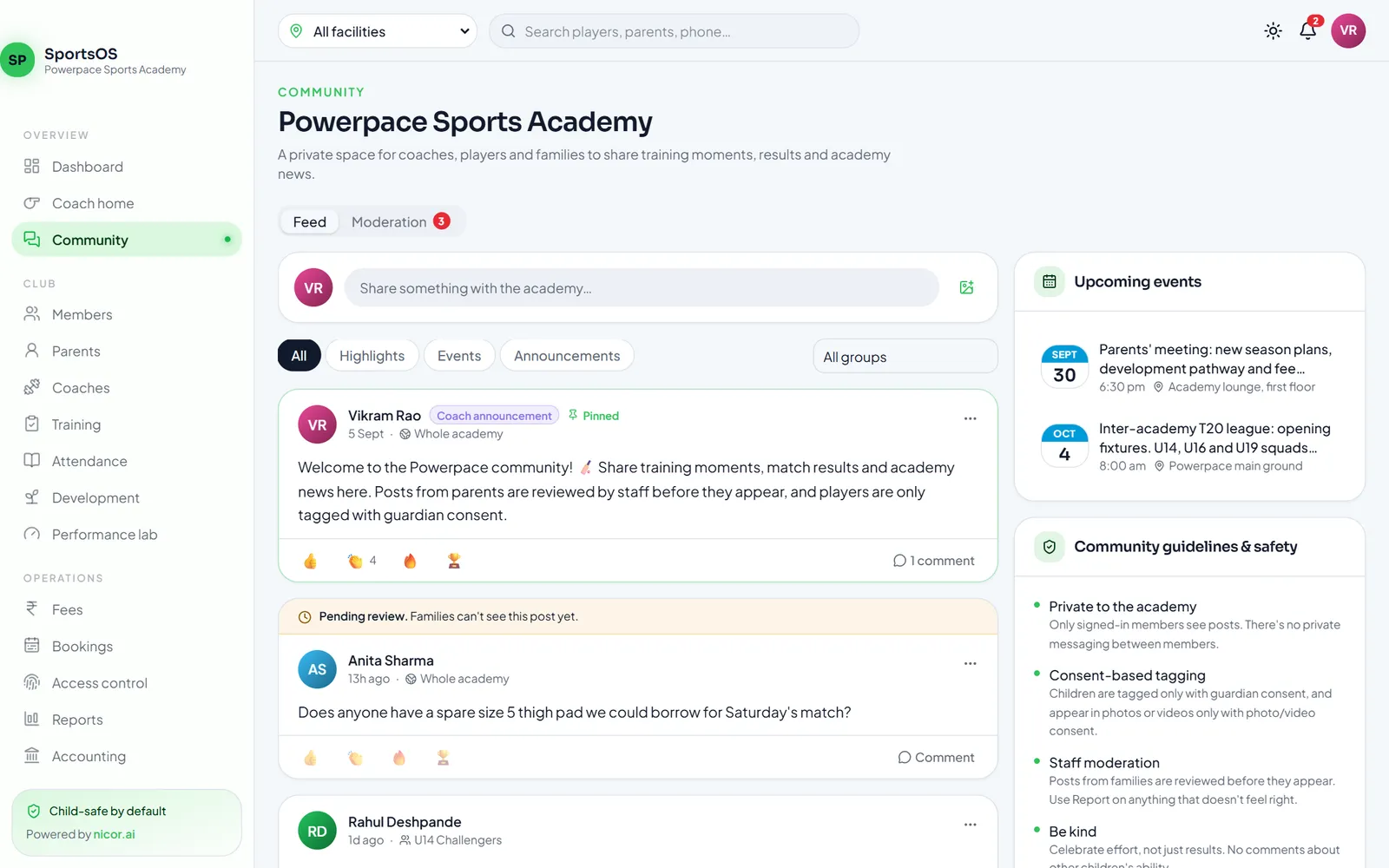
Posts from families are reviewed by staff before others see them; the guidelines sit next to the feed.
Security practices
Tenant isolation
Every record belongs to one organisation, and the database layer filters and blocks cross-organisation reads and writes. Facility-limited staff see only their facility.
Row-level access
Coaches see only players they coach. Parents see only their own children. Payroll is visible only to the payroll role.
Encrypted payment keys
Each club's Razorpay secrets are encrypted at rest, never sent to the browser and never shown again after saving.
Verified payments
Every webhook is signature-checked and de-duplicated, and payments are re-fetched from Razorpay before the ledger changes.
Secure sign-in
Passwords are hashed, sign-in is rate-limited, and resetting a password signs out every phone. App sessions use single-use refresh tokens.
Biometric data stays local
Fingerprint matching happens on the reader. SportsOS receives only an opaque reference, never a fingerprint image or template.
Door safety
- Every entry is decided on the server from your club's rules; replayed or forged requests are rejected.
- If the connection drops, the door gateway fails secure for entry (staff let members in manually) and queues events until it reconnects.
- Emergency exit, egress and fire release are handled in hardware and never depend on SportsOS or the network.
- Lock control is switched on per device only after the reader hardware is verified.
We don't claim certifications we don't hold. Questions about security, data handling or a security review for your organisation: hello@nicorsports.com.
See SportsOS with your own academy in mind
A 30-minute walkthrough of the web app and the member, staff and scorer apps — using your sports, your facilities and your fee structure.