Features
Every module, in depth
SportsOS replaces the spreadsheets, payment screenshots, paper registers, separate booking tools and scoring apps an academy usually juggles. Here is everything it does today.
01
Members & coaching
One record per player, shared by the office, the coaches and the family.
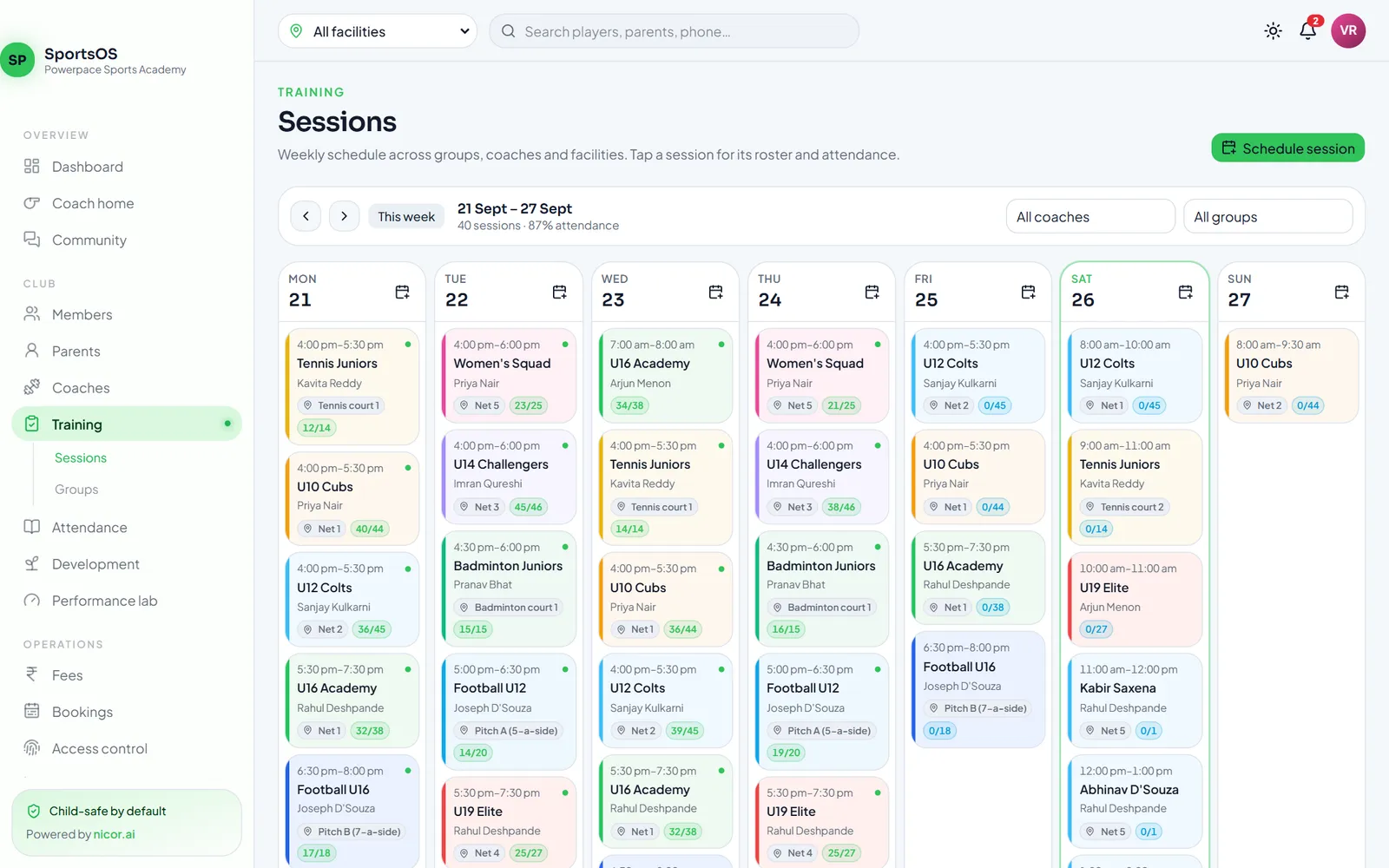
Members & guardians
Player profiles with sport, position and sport-specific attributes (batting hand, bowling style, preferred foot…). Guardians get their own login and see only their children.
Import from Excel or CSV
Upload your existing sheet, map the columns, and every row is validated before anything is saved: guardians for under-18s, duplicates, groups, coaches, dates. Fix the error rows and re-upload.
Training groups & sessions
Weekly schedules across groups, coaches and facilities, with clash checks for coaches and courts. Cancel or complete sessions in one tap.
Attendance
One-tap Present / Late / Absent / Excused from the staff app, plus automatic check-ins from the door. Trends show who is drifting away.
Coach notes, assessments & goals
Notes by category (optionally shared with parents), skill assessments using the player's sport, and goals the family can follow.
Multi-sport by design
11 sports built in with their positions, skills and development areas — and you can add your own sports.
02
Bookings & facilities
Fill idle courts, nets and pitches without ever double-booking.
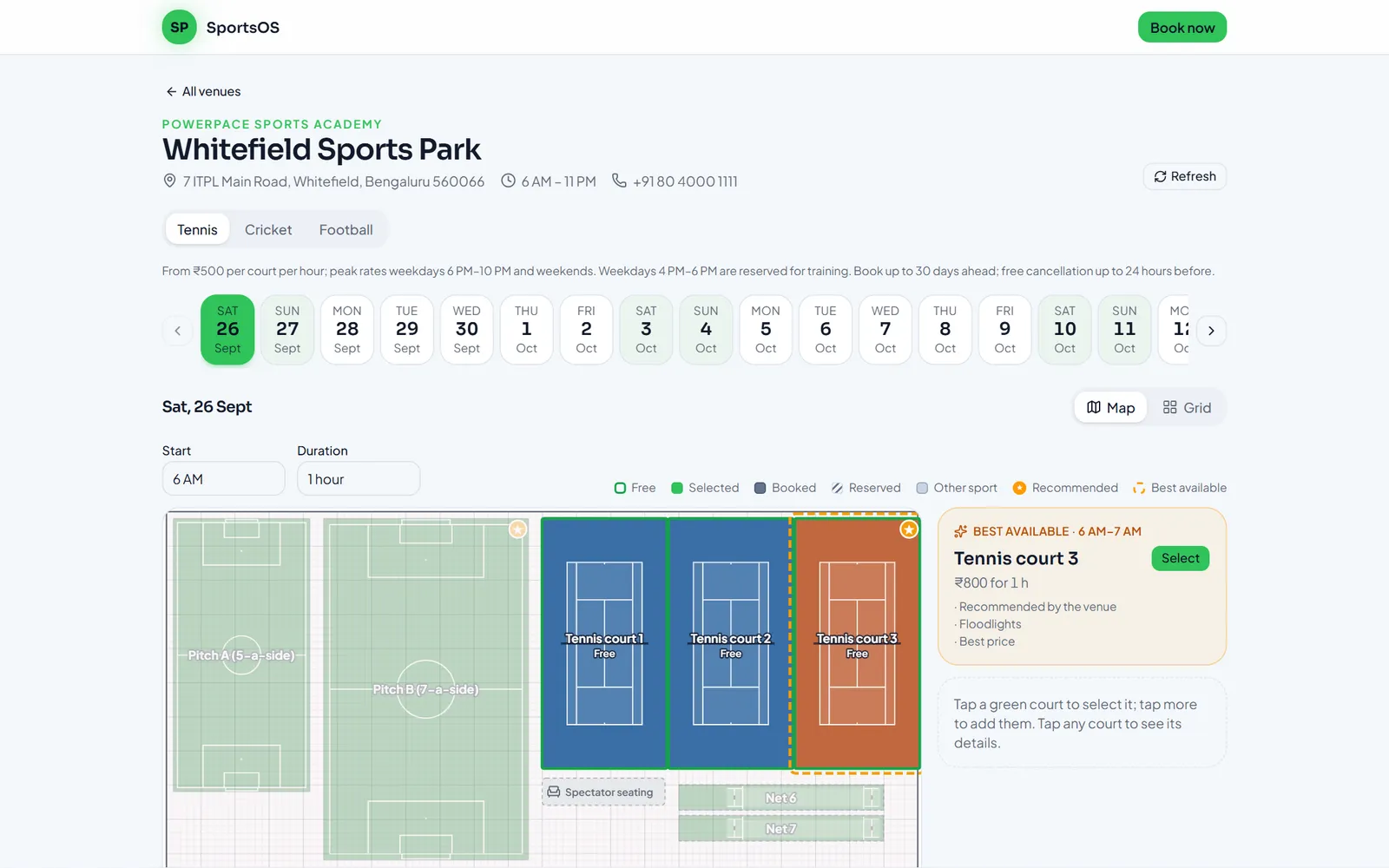
Multi-facility
Run any number of venues under one organisation. A facility switcher filters the whole workspace, and staff can be limited to their own facility.
To-scale floor plans
Customers pick a court on a real floor plan with proper court markings — or switch to an hourly grid.
"Best available" suggestion
SportsOS recommends the best free court for the chosen time, using the venue's preferences, features and price.
Public booking site
Each facility gets a booking page — no account needed. Holds expire automatically and payment happens online.
Pricing that matches your venue
Off-peak, peak and weekend rates per court. Training hours can be kept back so bookings never clash with academy sessions.
No double bookings
Overlaps are blocked by the database itself, even when two people click at the same moment. Front desk can add walk-ins from the staff app.
03
Payments & finance
Every rupee in one ledger — collected into your own Razorpay account.
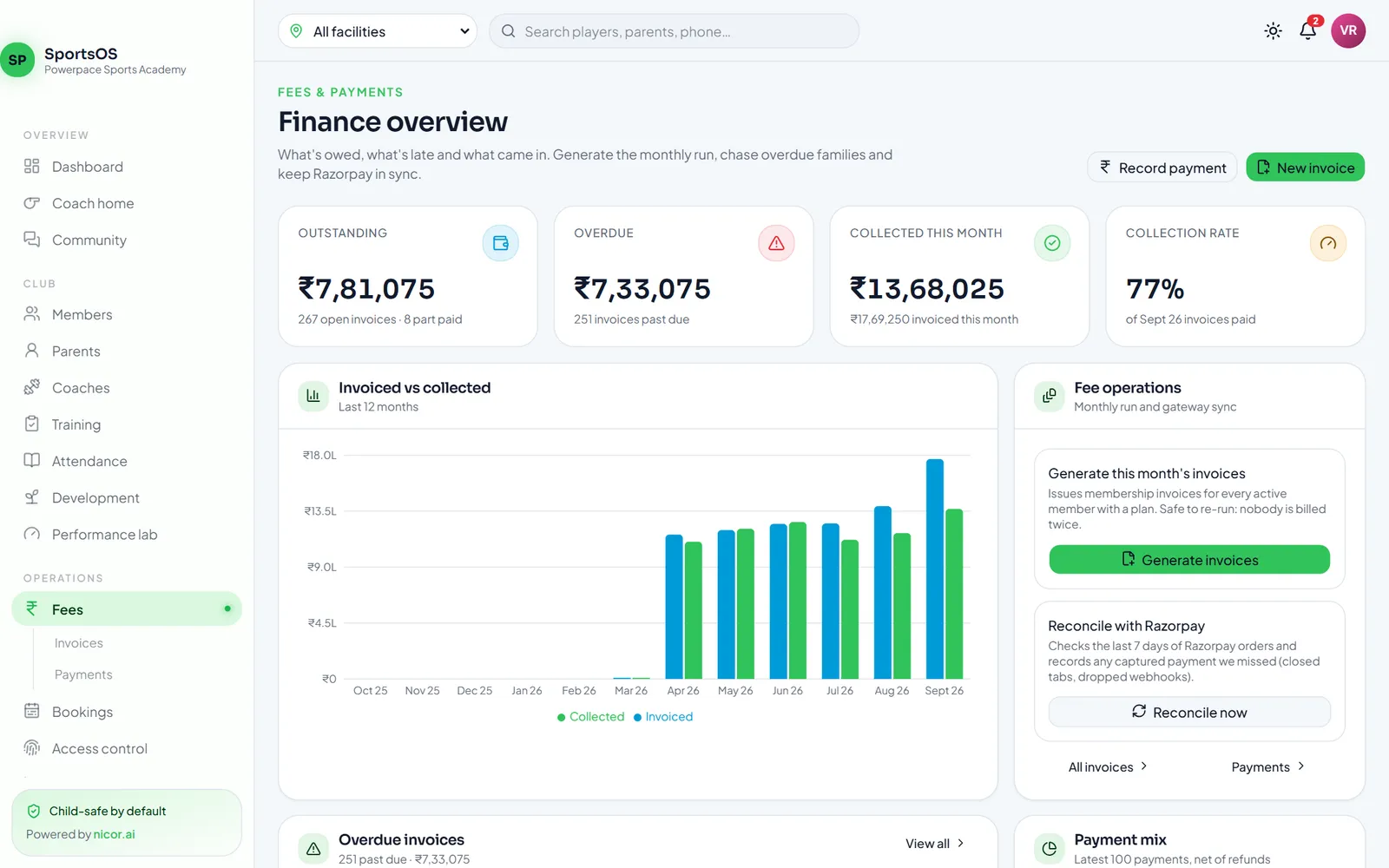
Fees & invoices
Monthly membership invoices generated automatically (never twice), with discounts, scholarships, voids, reminders and overdue tracking.
Razorpay Checkout & payment links
Parents pay by UPI, card or netbanking in the app or web — or from a payment link you share on WhatsApp, SMS or email, without signing in.
Your money, your account
Each club connects its own Razorpay account, so money settles directly to you. Key secrets are encrypted and never shown again.
Recorded exactly once
Signed webhooks, re-checks with Razorpay and automatic reconciliation mean a payment is never lost or counted twice. Refunds included.
Gateway fees & GST accounted
The gateway fee and GST on each payment are read from Razorpay and posted to your books.
Double-entry accounting
Invoices, payments, refunds, payroll and expenses post automatically. Trial balance, P&L, balance sheet and Tally XML export for your accountant.
04
Access & safety
Door decisions made by your club's rules — safely, on the server.
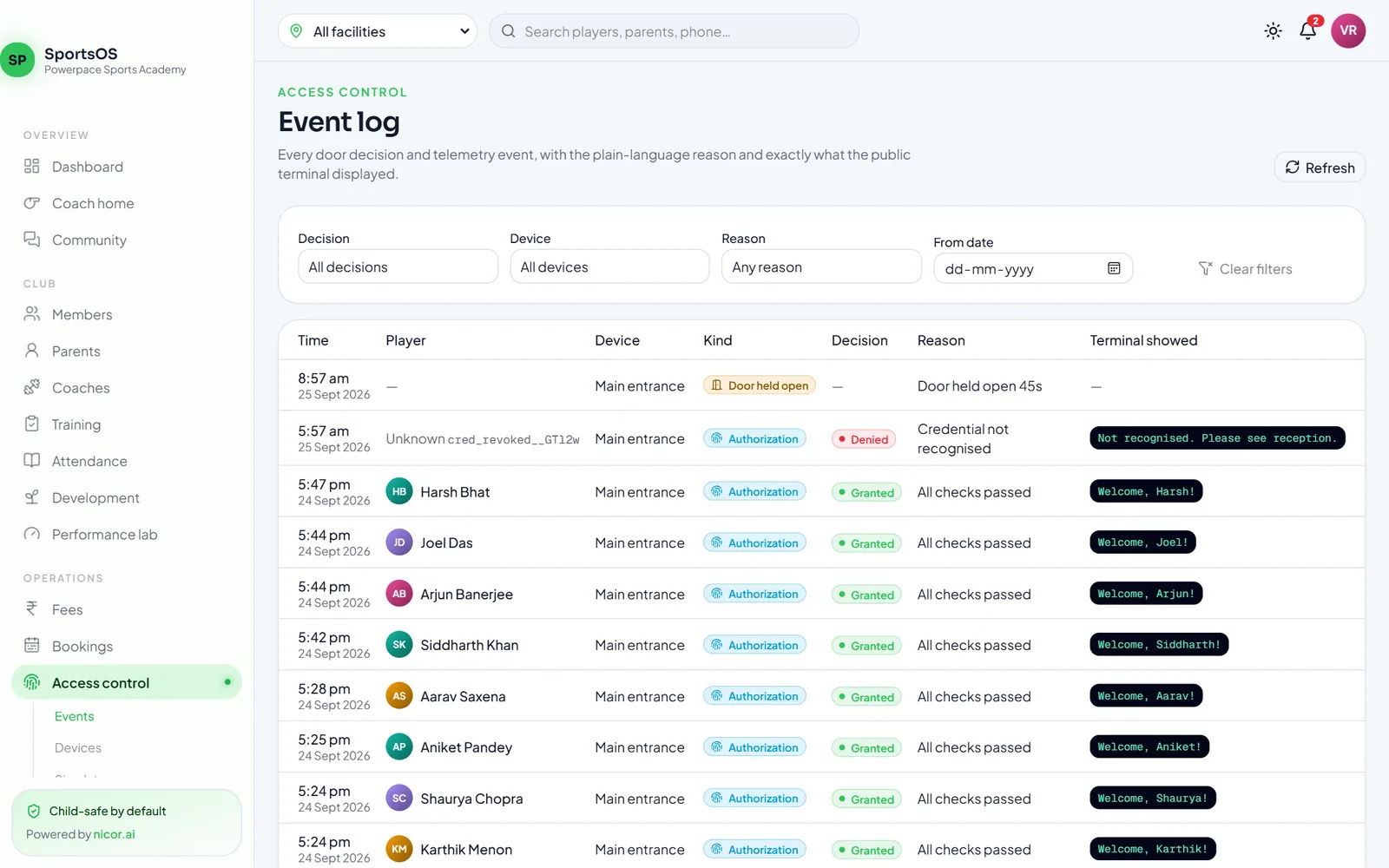
Biometric & QR entry
Fingerprint readers connect through a small local gateway; fingerprints never leave your premises — only an opaque reference does.
Server-side decisions
Every scan is decided by SportsOS: granted, granted with an alert, supervised entry or denied — based on membership, fees, session times and overrides.
Child-safe by design
Terminals show neutral messages and never money. Minors are never left outside because of fees — staff are alerted instead.
Overdue policies
Choose how overdue adult members are handled: flag, supervised entry, or deny.
Rotating QR door pass
Members show a QR pass in the app that changes every minute and works only once, so a screenshot can't be reused.
Staff scan with a phone
The staff app scans passes with the camera and applies exactly the same rules as a door. Staff see the reason; the member doesn't.
05
Staff & payroll
Roles for everyone, and payroll that knows Indian statutory rules.
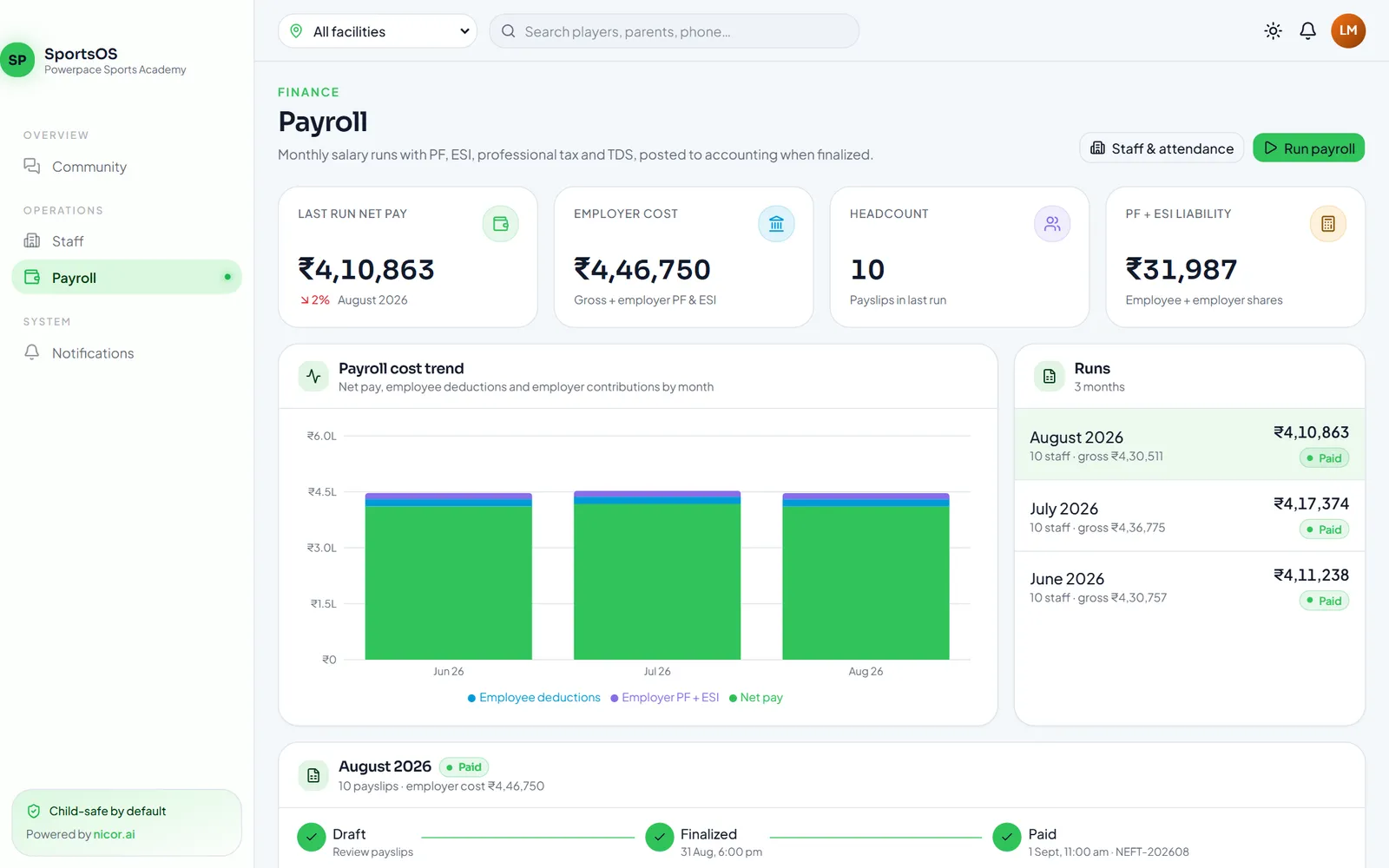
Roles that fit a club
Owner, administrator, finance, head coach, S&C coach, front desk and payroll manager — each sees only what they need.
Staff records, attendance & leave
A staff directory with salaries, attendance and leave that feed straight into payroll.
Statutory payroll
Configurable PF (with wage ceiling), ESI, professional tax and TDS. Loss of pay from attendance, unpaid leave and joining/exit dates.
Locked, posted, private
Finalising a run locks attendance and posts the journal. A separate payroll role keeps salaries away from other admins; only the last four digits of PAN and bank accounts are stored.
Payslips
Staff see their own payslips when they sign in.
06
Community & development
Keep families engaged and show every player how they are growing.
Community feed
A private feed for your club with posts by audience, staff pre-moderation, a reports queue — and deliberately no private messaging.
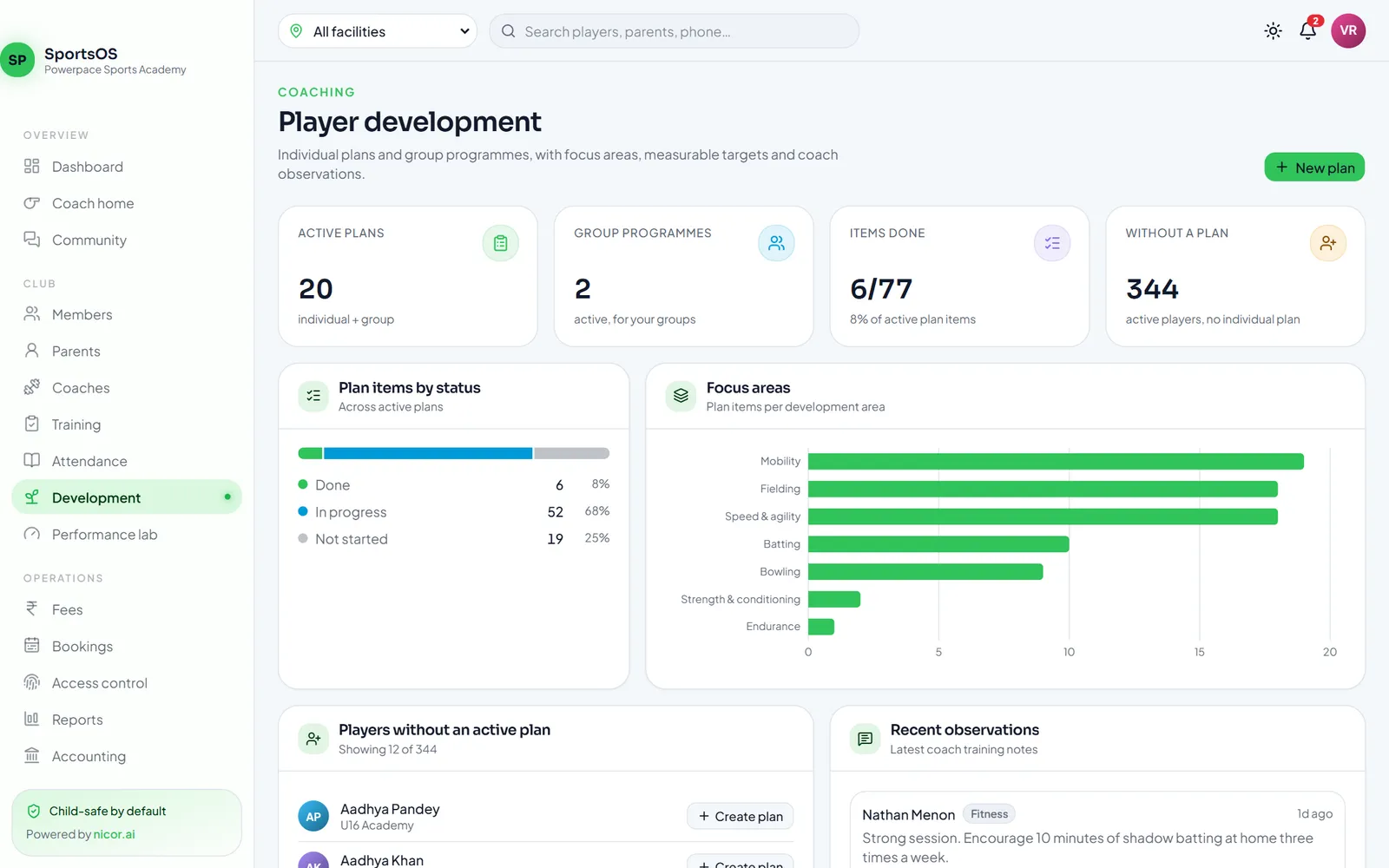
Development plans
Individual plans or group programmes with focus areas and measurable targets, and a progress view that pulls in ratings, goals and observations.
Performance lab
A metric catalogue, tests that record protocol, conditions and device, and sensor data imported from CSV with a preview first.
Public player profiles
Opt-in profiles for players to share. Minors need a guardian's consent (re-checked every time) and appear as first name and initial — never contact details, date of birth or payments.
Notifications
In-app, email and push notifications for reminders, receipts, notes and announcements.
Reports
Membership, revenue, outstanding fees, attendance, sessions and court utilisation — export any report to CSV.
07
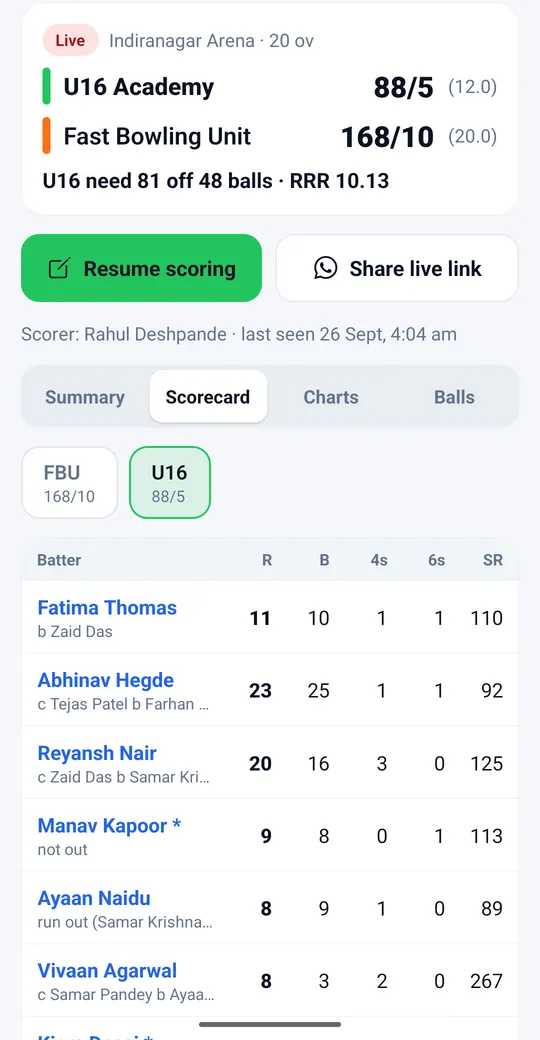
Cricket scoring & live scores
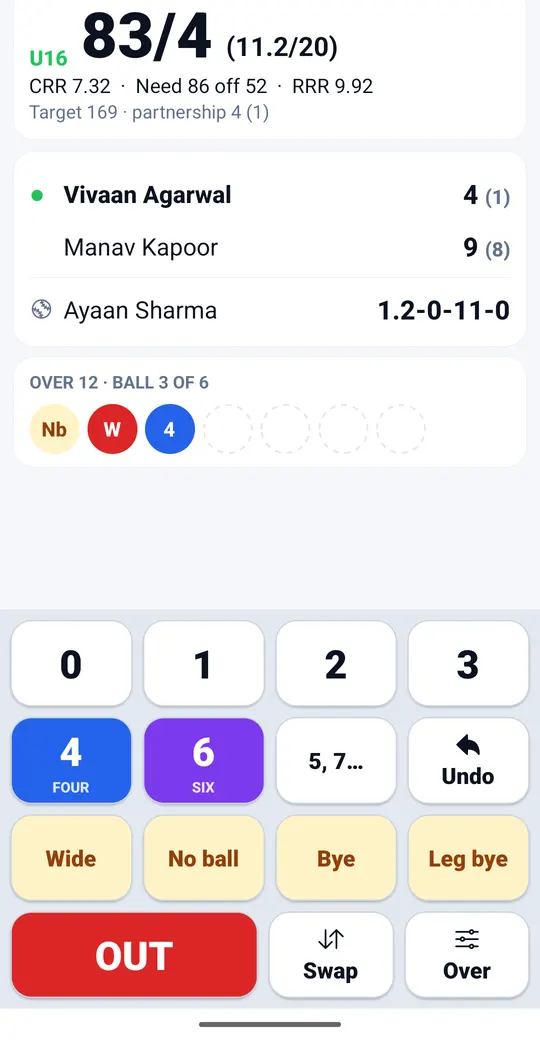
Ball-by-ball scoring on one phone, live scorecards for everyone else — even with no signal at the ground.
One-thumb, ball-by-ball
Big buttons for 0–6, wides, no balls, byes and leg byes, all 11 ways of getting out, free hits, retired hurt, penalty runs, change bowler, swap strike and a clear Undo.
Any format, any over length
T20, T10, 50 overs or custom: players per side, bowler quotas, one or two innings — and balls per over for the whole match or a single over (an 8-ball match, or a 10-ball 15th over).
Works with no signal
Every ball is saved on the phone first and syncs when the connection comes back. Retries are safe, so nothing is lost or counted twice.
One scorer at a time
Only one phone scores a match, so two people can't record the same ball. Phone died? Another scorer can take over and carry on from the last ball.
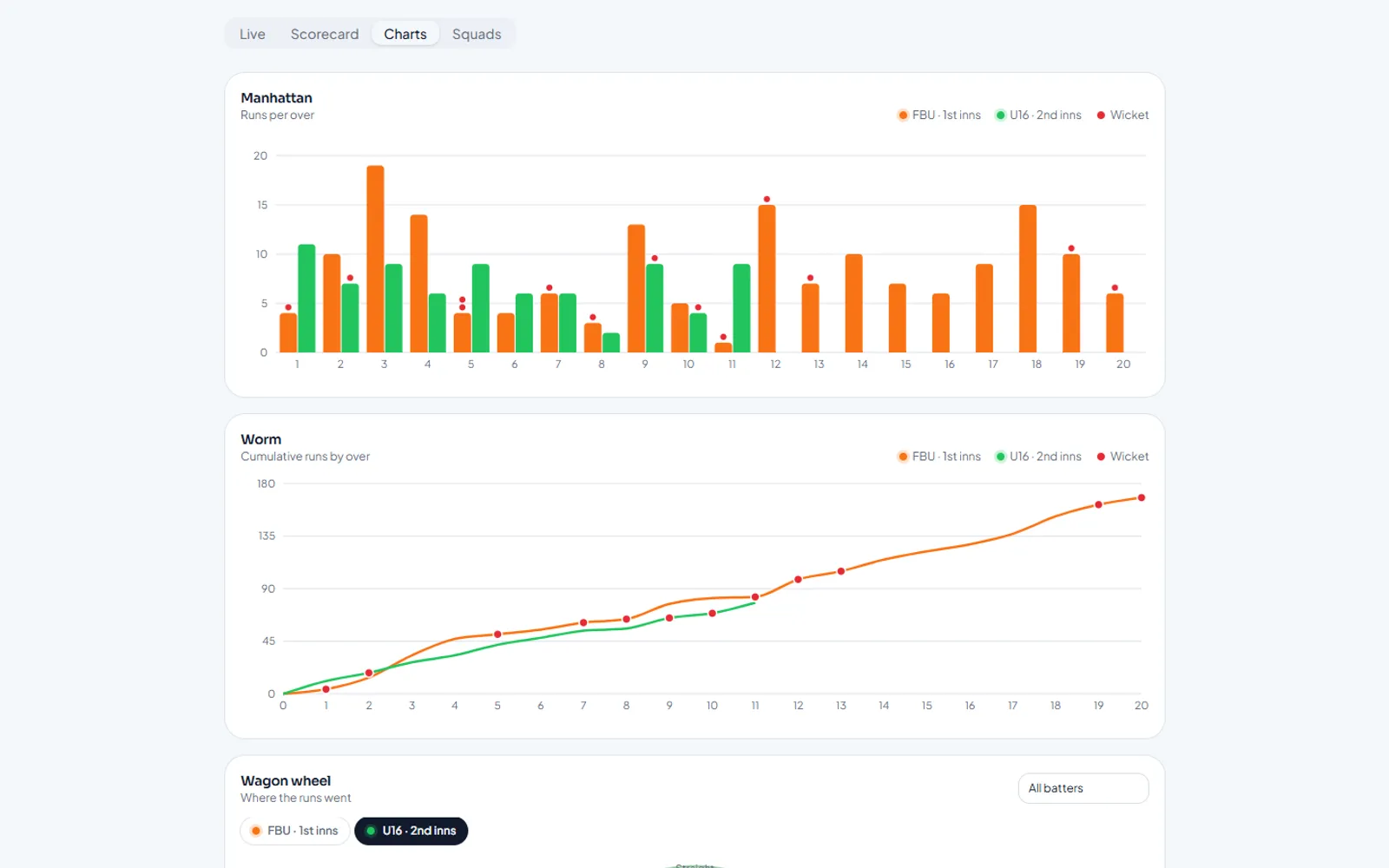
Scorecards, charts & commentary
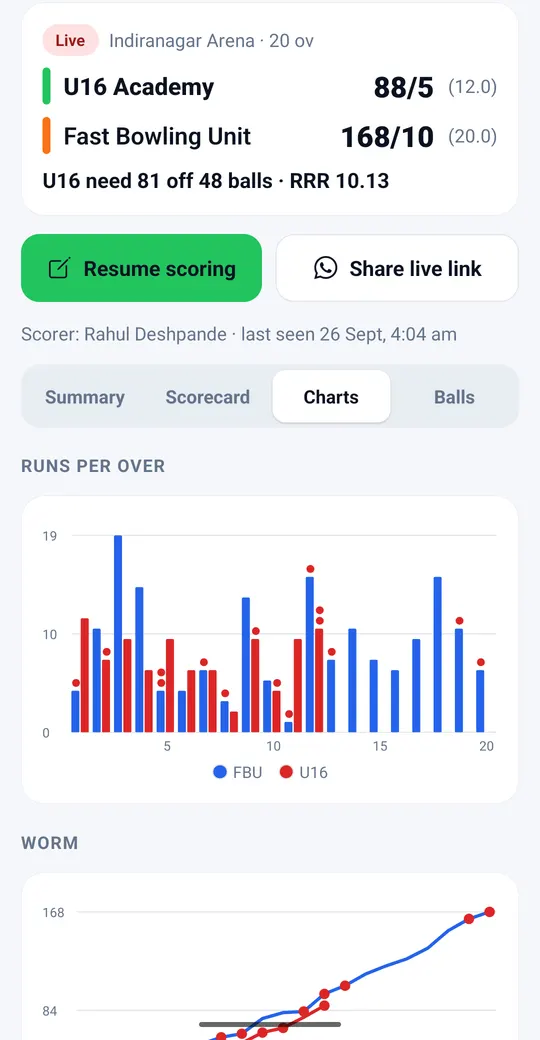
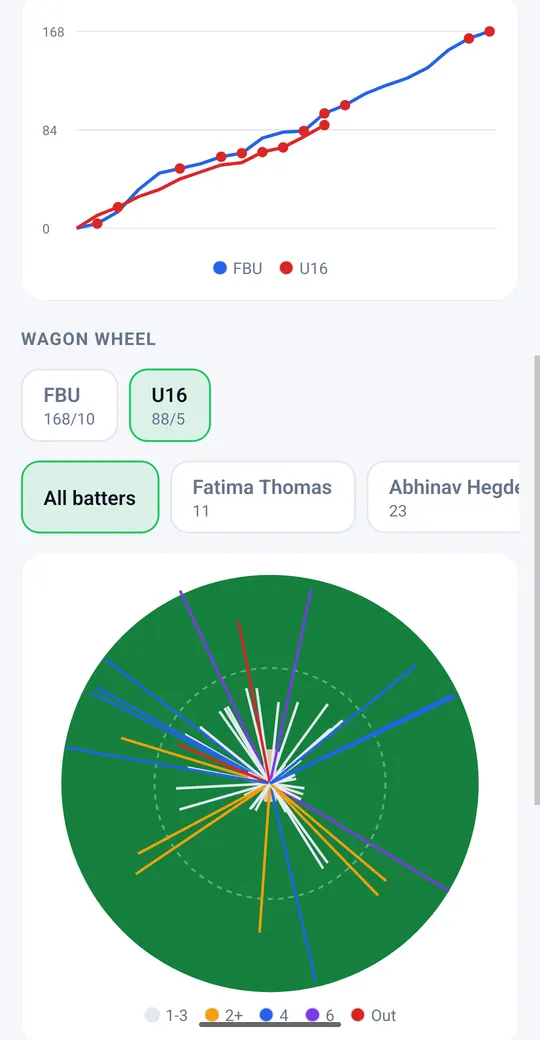
Full scorecards with extras, fall of wickets and partnerships, Manhattan and worm charts, a wagon wheel, a pitch map and ball-by-ball commentary written for you.
Live links for parents
Share a match's live link on WhatsApp. Parents open it in any browser — no app, no sign-in — and the score refreshes on its own. Juniors are shown as first name and initial, or masked.
Stats that add up
Completed matches build each player's career batting, bowling and fielding stats, plus season leaderboards for runs, wickets, strike rate, economy, sixes and catches.
Public team pages
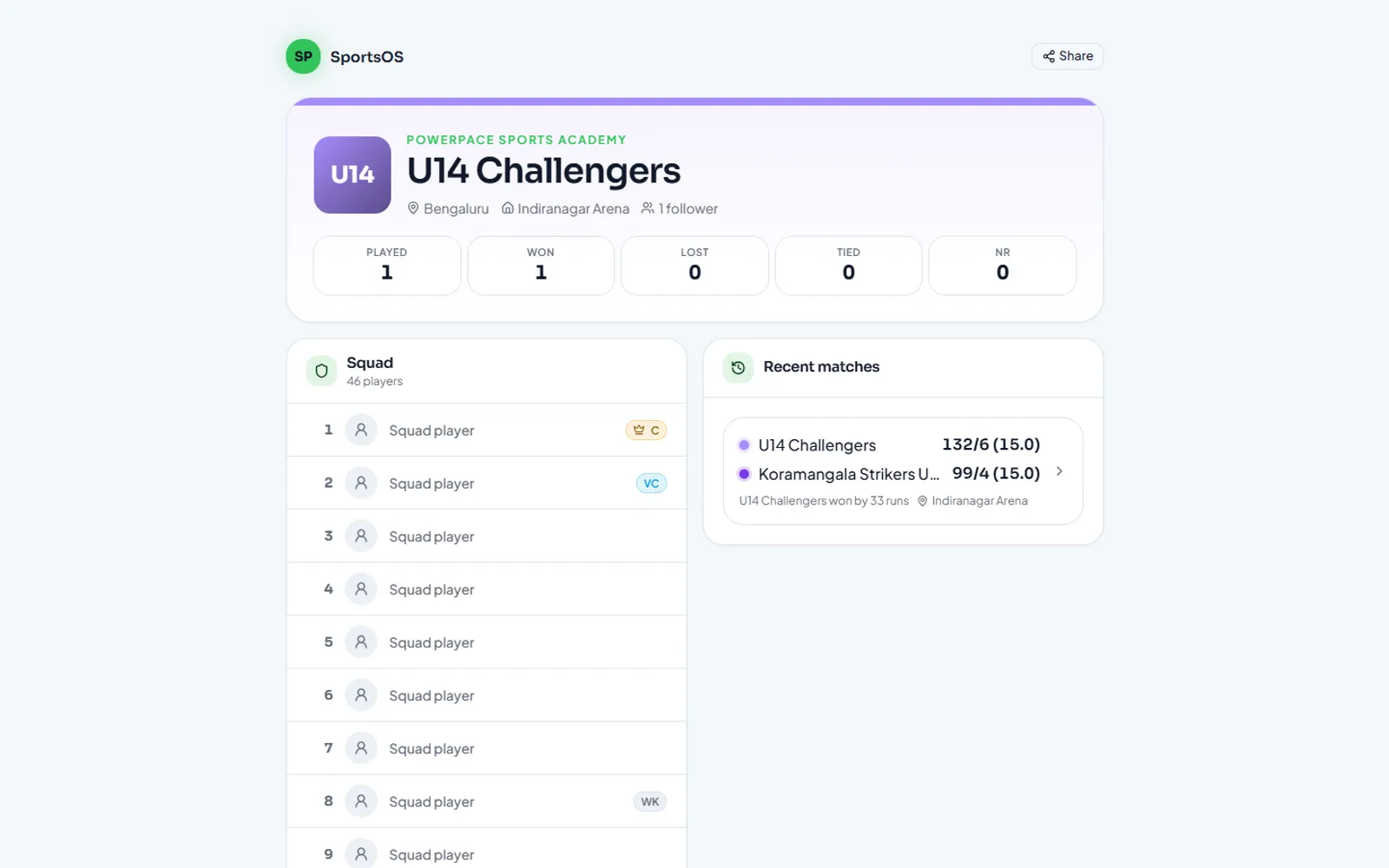
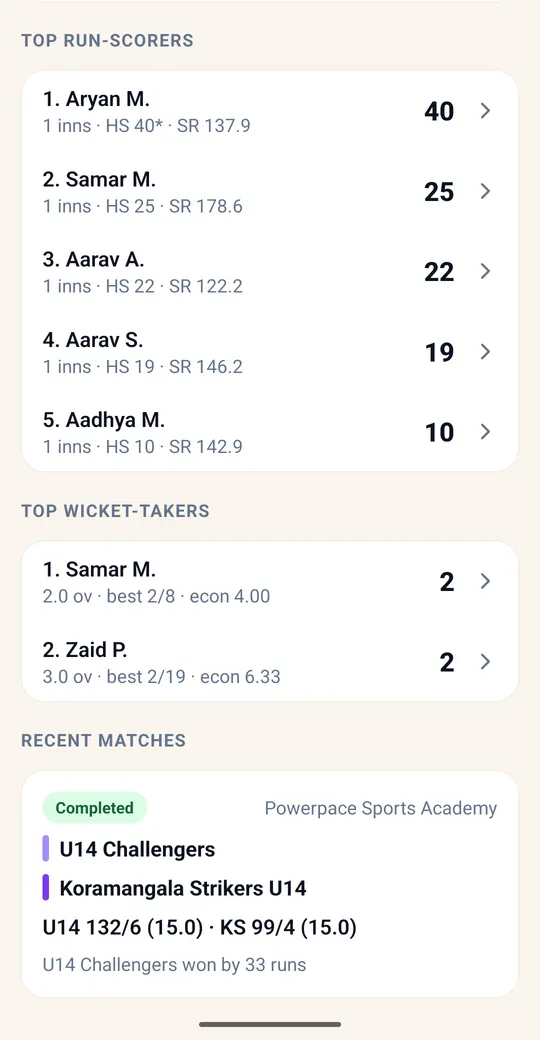
Each public team gets a web page with its record, squad, recent results, top run-scorers and top wicket-takers.
08
Player profiles, teams & discovery
One Nicorsports profile per player, across every club and every friendly — free for players.
Sign up with a phone number
Anyone can create a free Nicorsports profile with their mobile number and a one-time code — no club needed.
One profile, whole career
The same profile follows a player from club to club and into friendlies, so career stats and highlights keep adding up.
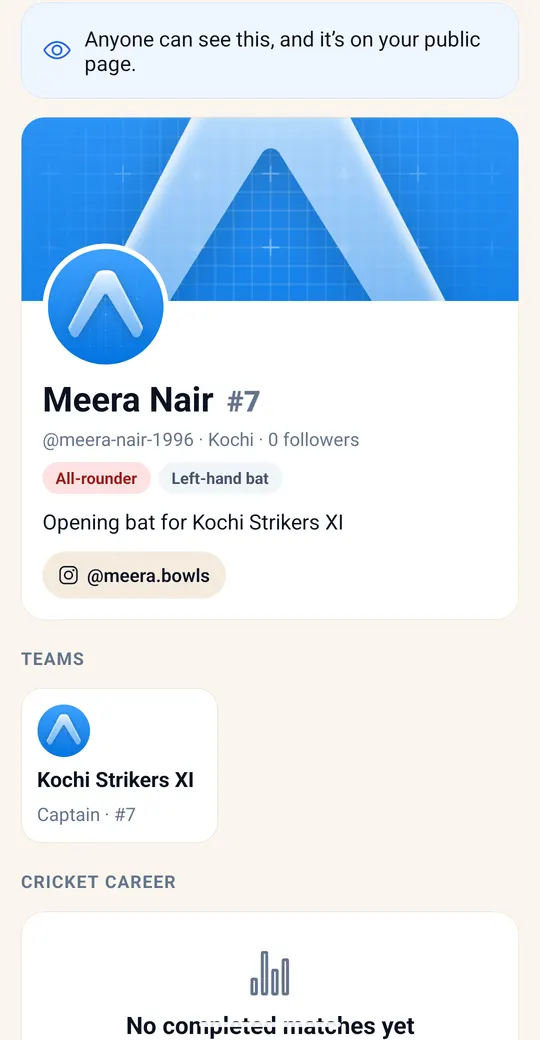
A profile worth sharing
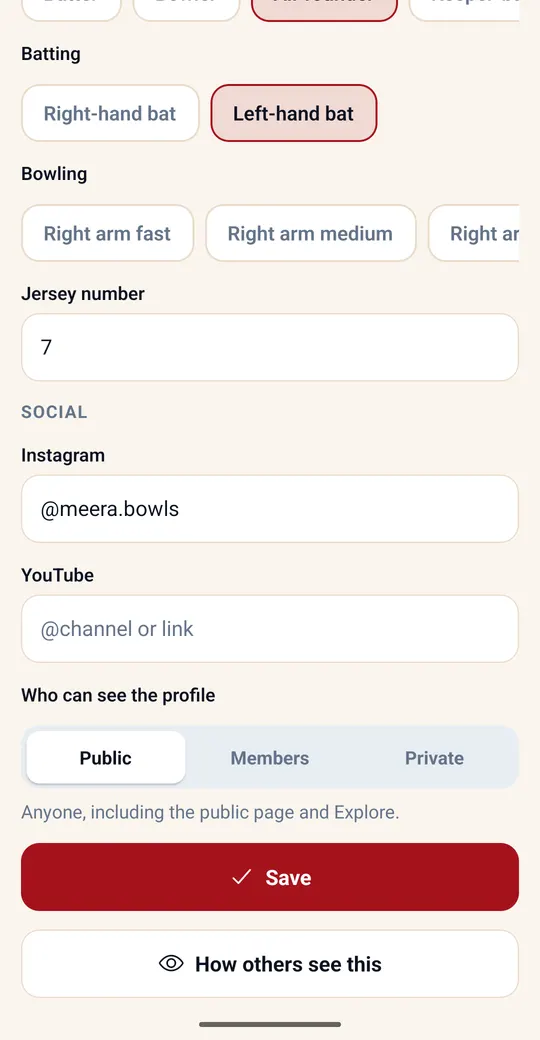
Cover photo, playing role, batting and bowling style, jersey number, Instagram and YouTube, plus highlights: best batting, best bowling, 50s, 100s and 5-wicket hauls.
Claim your profile
Played as a guest? The scorer shares a claim link; the player (or a parent, for a child) confirms with a code and the stats become theirs.
Parents in charge
Under-18s need a parent's consent, confirmed by a code sent to the parent's own phone. Parents manage their children's profiles, and juniors' names stay hidden publicly unless allowed.
Teams that last
Save teams with squads, captains, vice-captains, keepers, jersey numbers and logos. Pick a saved team for a new match and its record and top performers build up.
Explore & follow
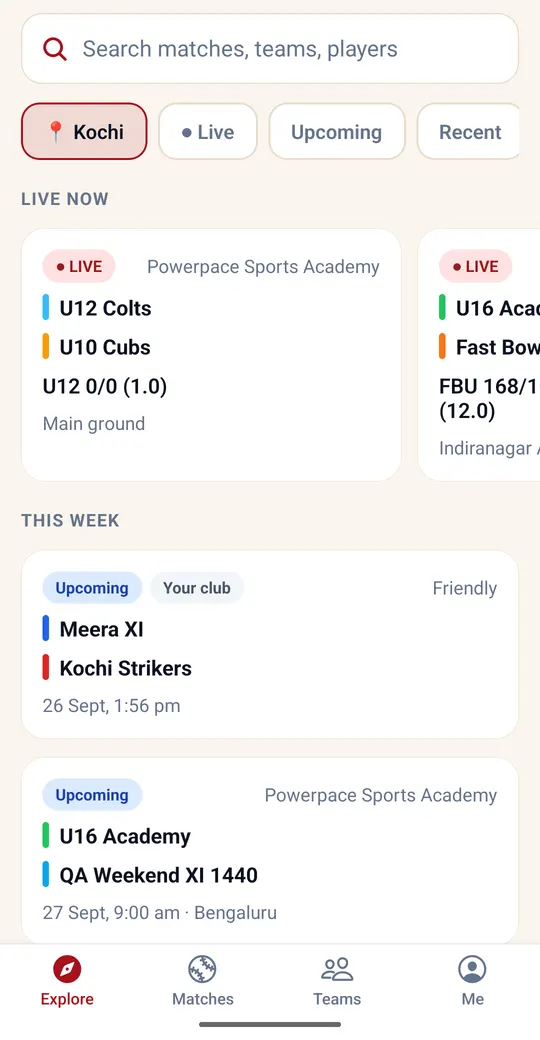
Search matches, teams and players across Nicorsports: live now, upcoming, recent results and suggestions near you. Follow a team, player or match to be notified when it goes live and when it finishes.
Friendly matches
No club? Score friendlies in your own free space. Public friendlies count towards every player's career.
Underneath it all
White-label brands
Partners run SportsOS under their own product name, logo, colours, domains and support email. “Powered by nicor.ai” is shown by default.
Organisations → facilities → courts
One organisation can run many venues, each with its own hours, sports, rules and bookable resources.
Multi-sport players
Each player carries a sport, position and sport-specific attributes; development areas and metrics are sport-tagged.
Plans & trials
Subscriptions with a free trial, player limits and plan features, billed monthly with GST.
Works on any device
A responsive web app for owners and admins, plus the member, staff and scorer mobile apps.
Powered by nicor.ai
SportsOS is powered by nicor.ai. AI-assisted insights are on the roadmap.
More screens from the web app
Real screenshots of SportsOS with a fictional demo academy.
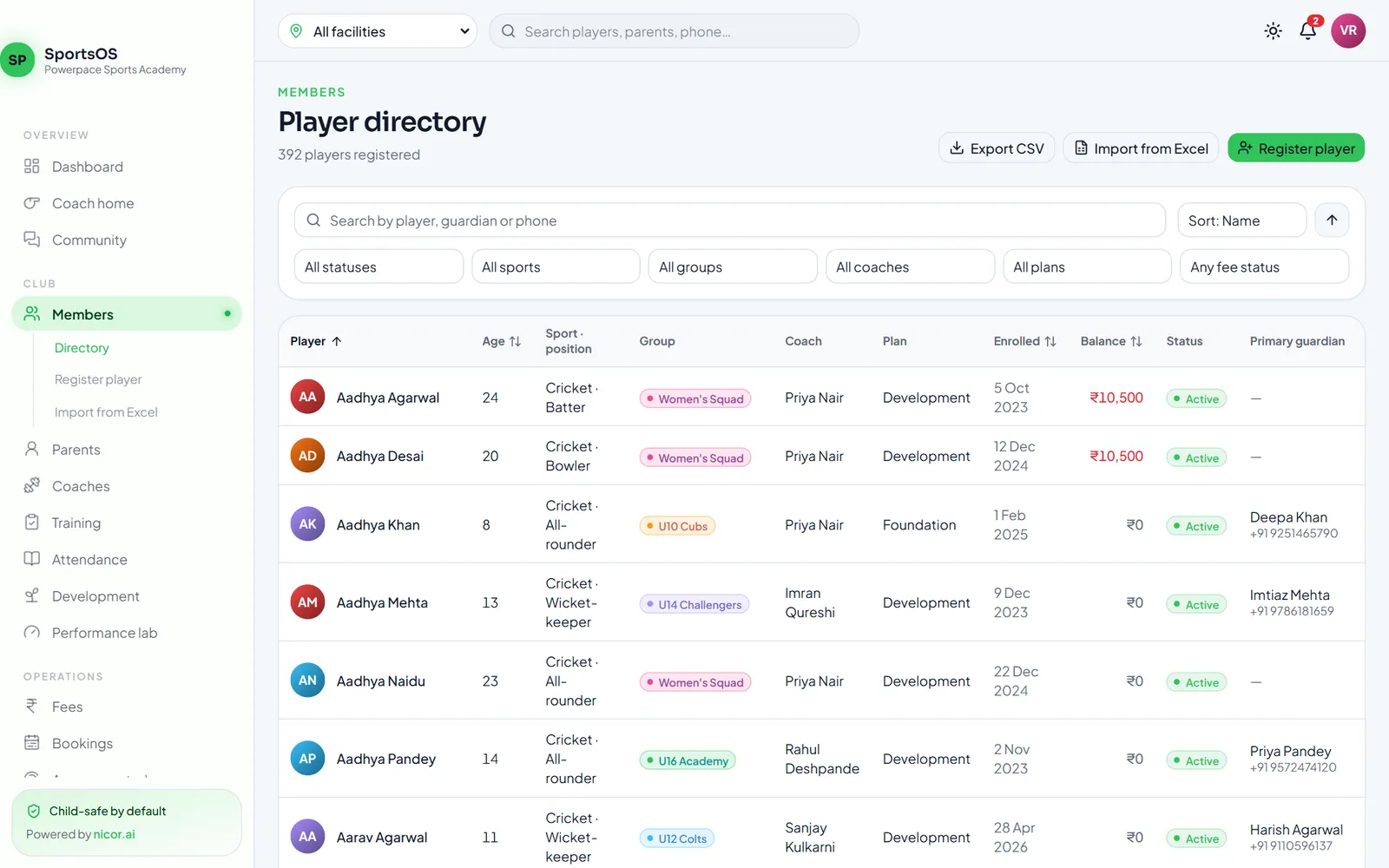
Player directory with sport, position, group, coach, plan, balance and status for each player
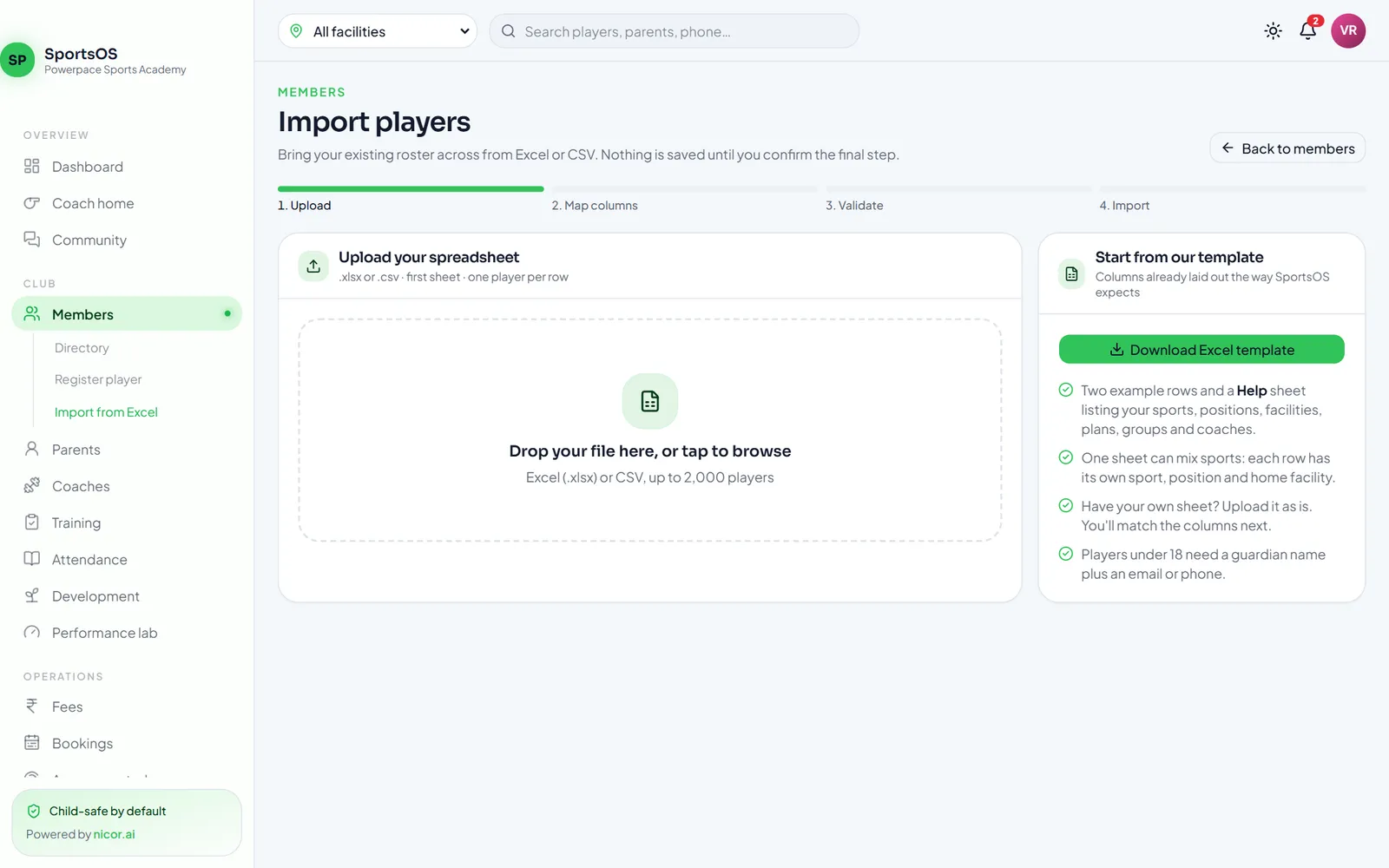
Import players from Excel: upload, map columns, validate and import steps with a template download
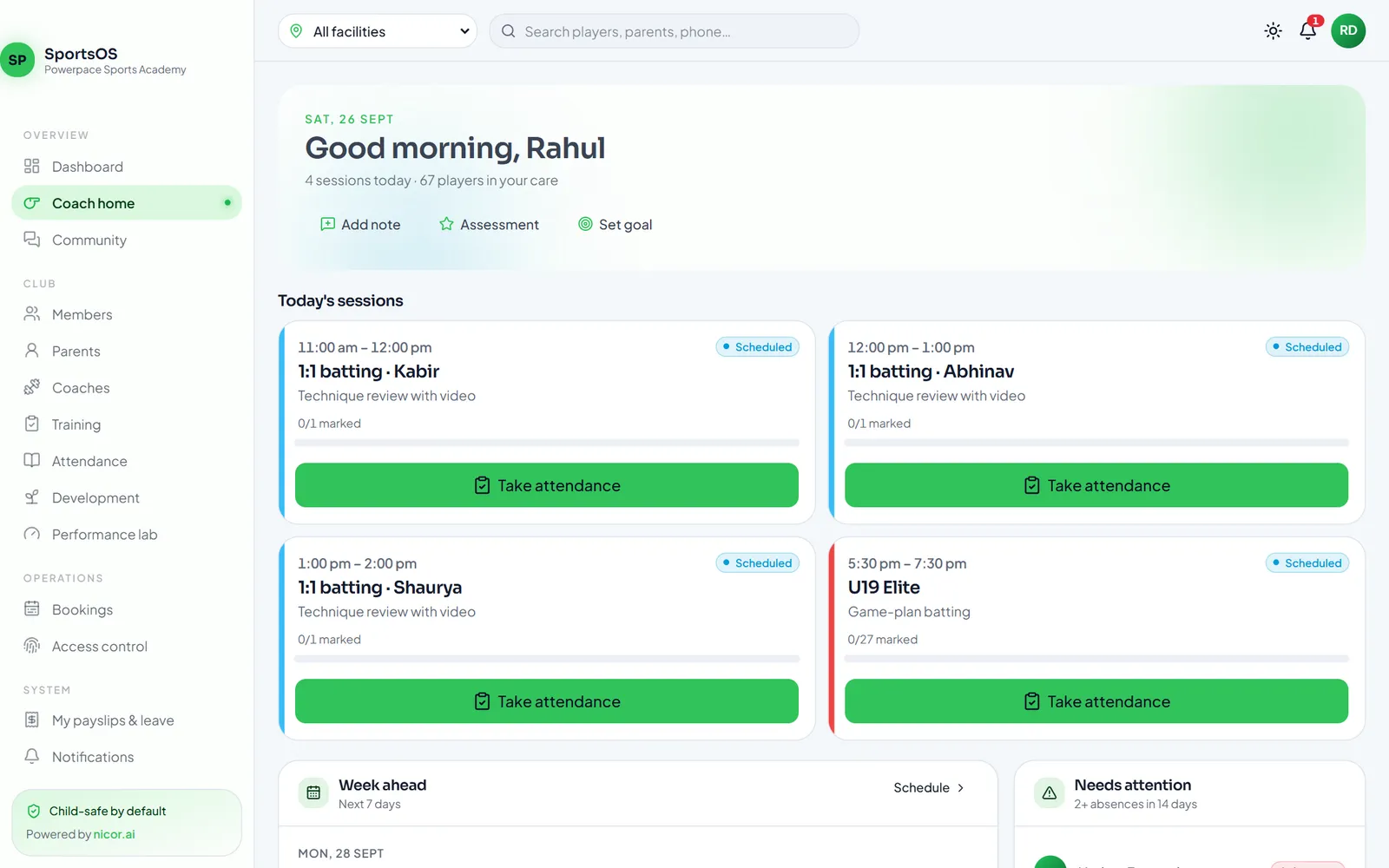
Coach home with today's sessions and Take attendance buttons
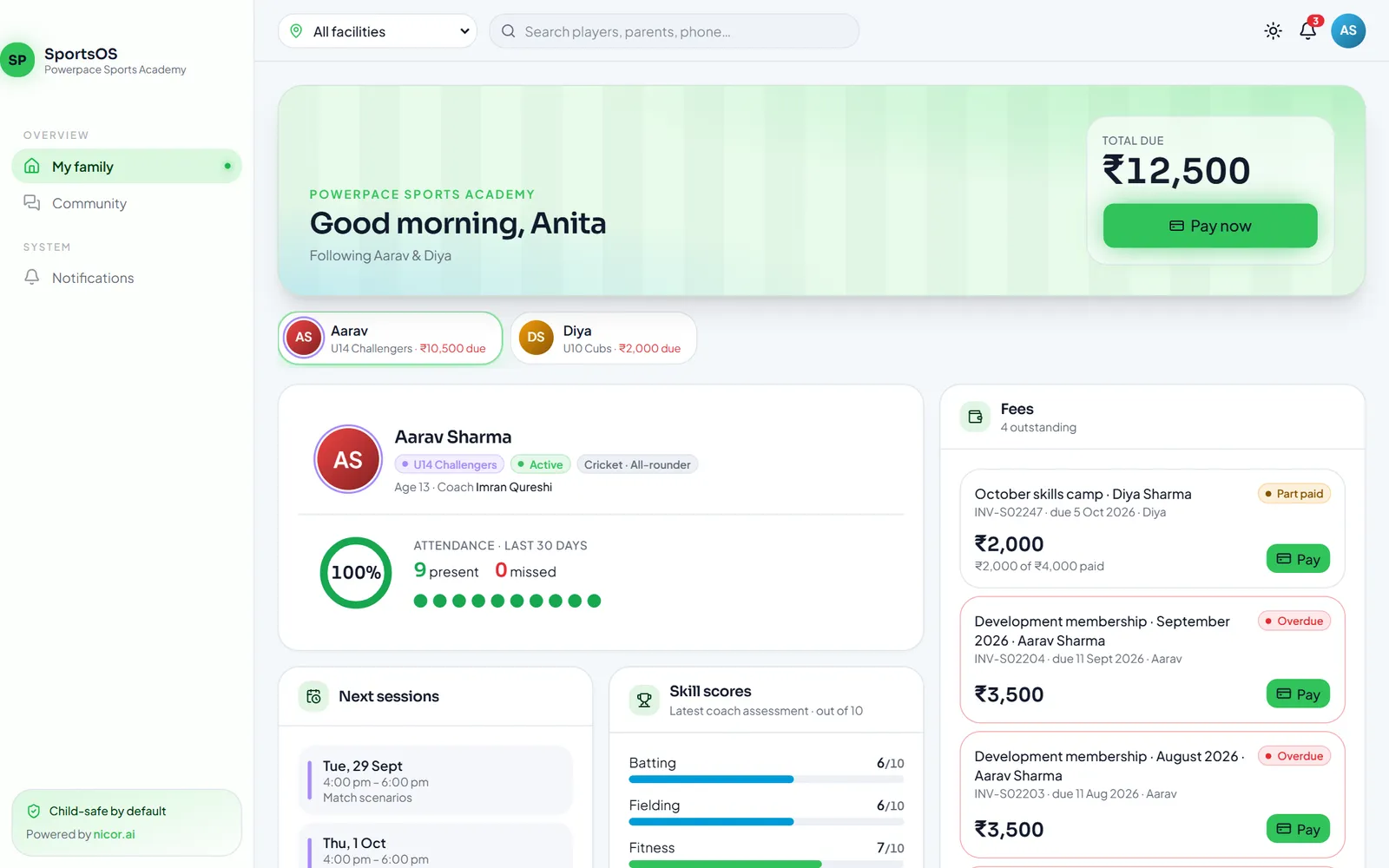
Parent portal with total due, children, attendance, skill scores and invoices to pay
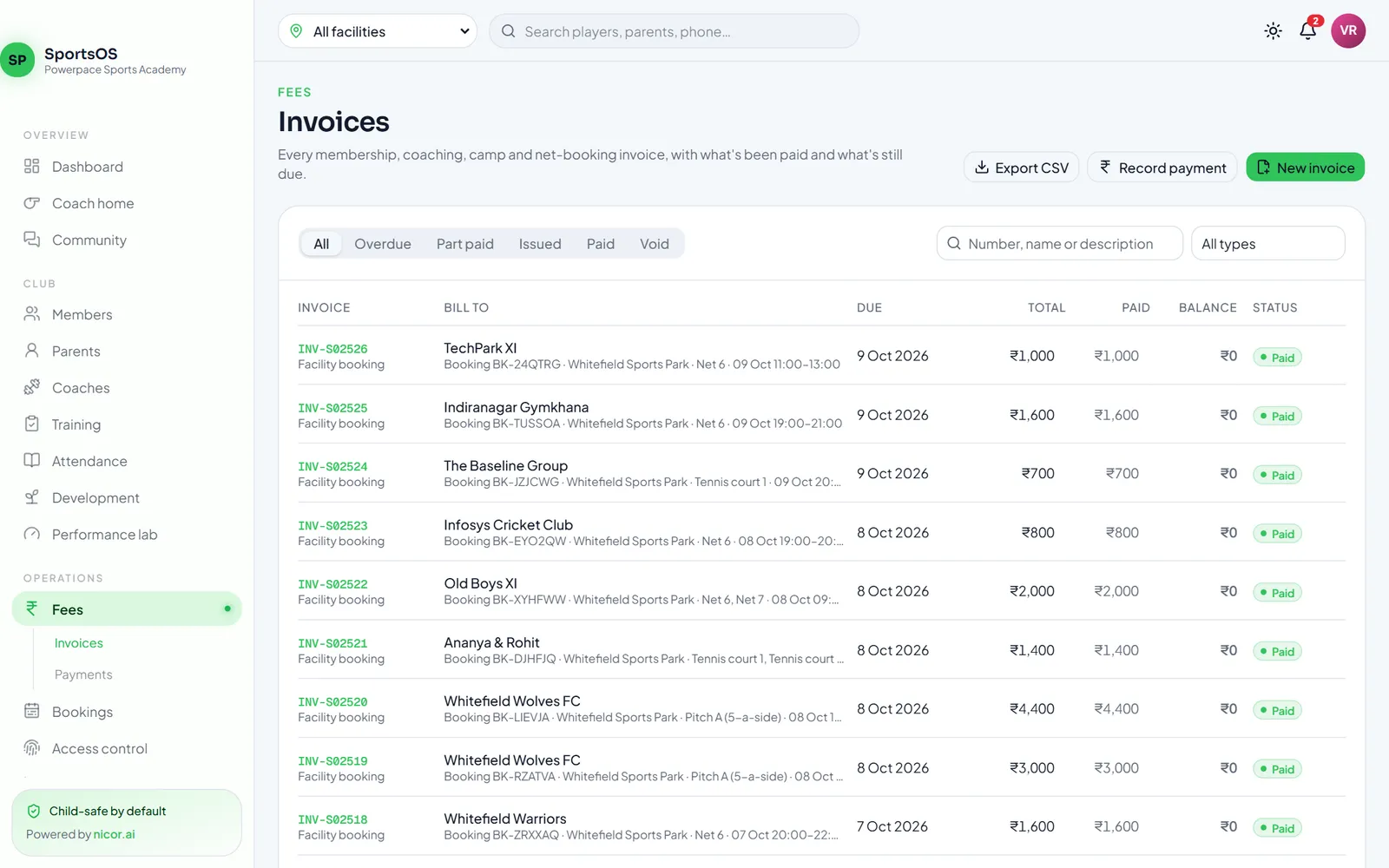
Invoice list with status filters, balances and facility booking invoices
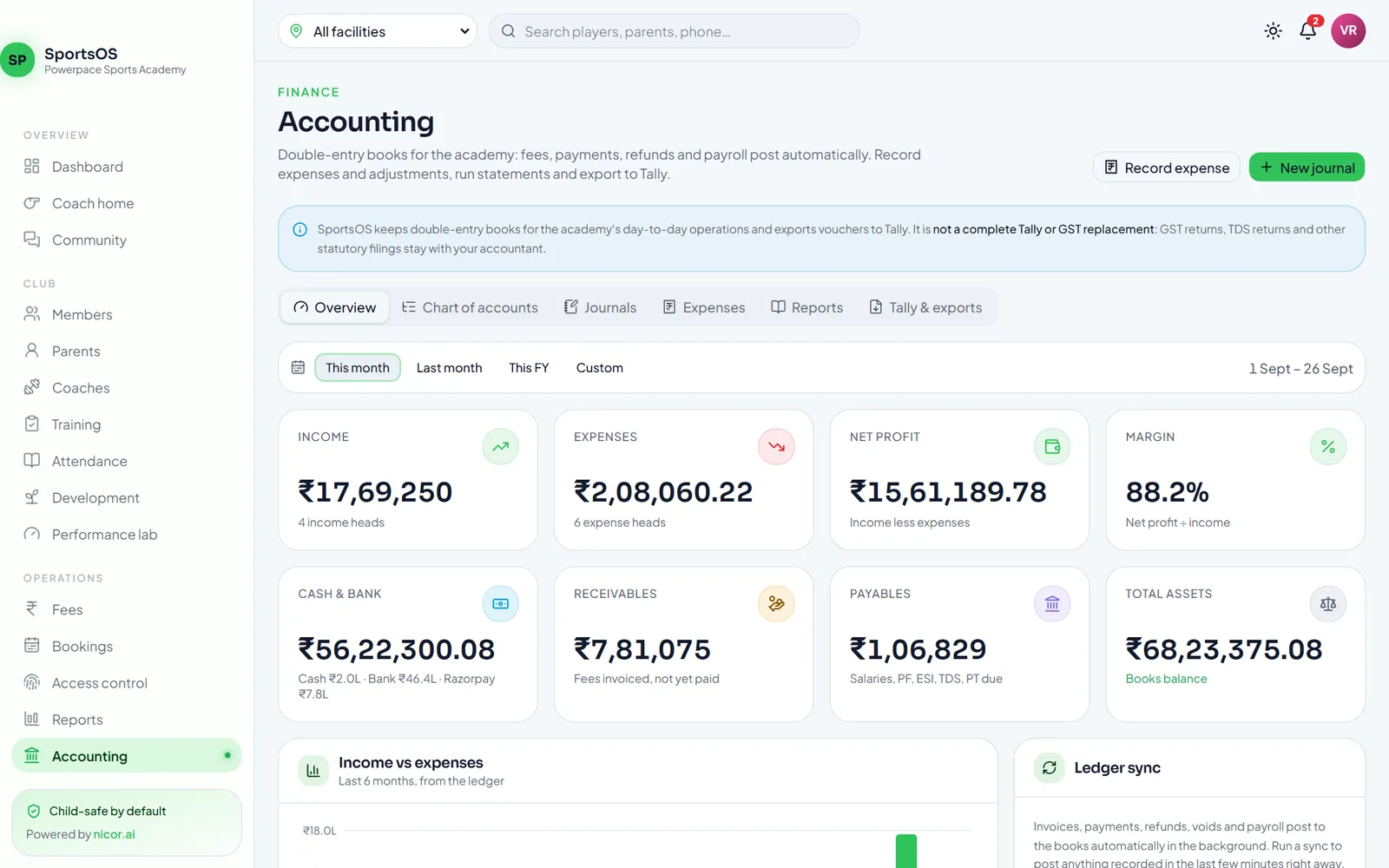
Accounting overview with income, expenses, net profit, cash and bank, receivables and payables
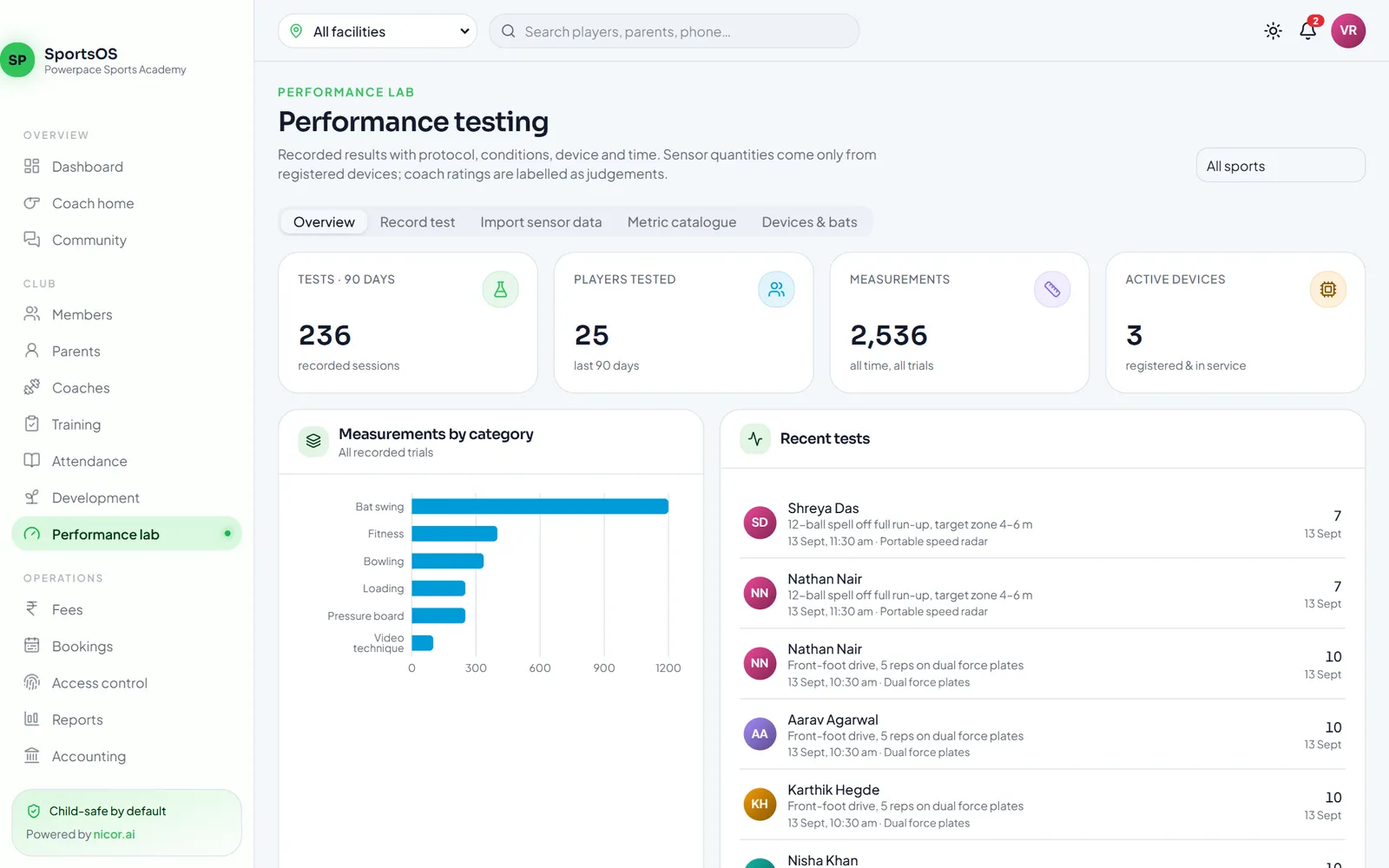
Performance lab with tests recorded, players tested, measurements and active devices
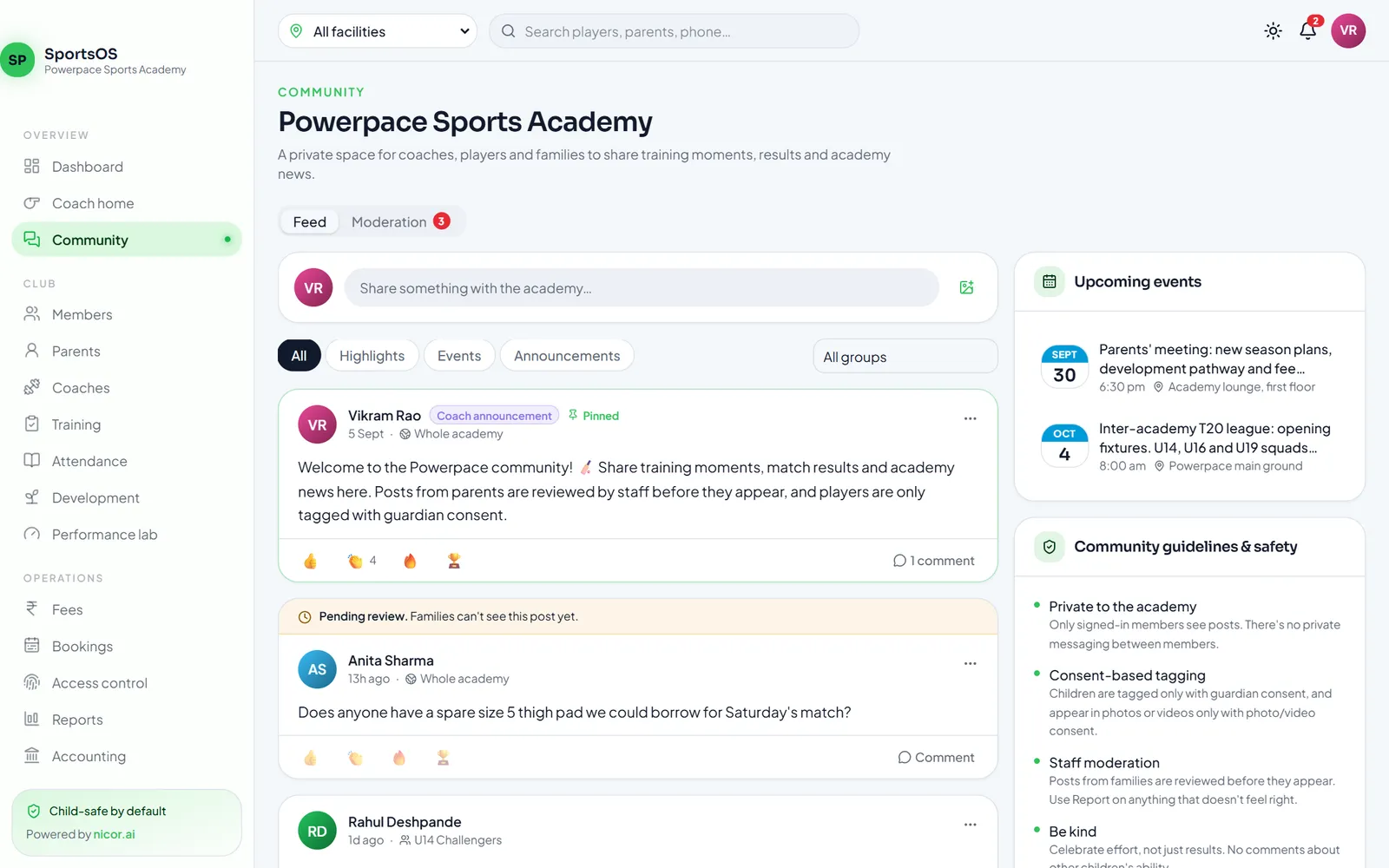
Community feed with pinned coach announcement, pending review post and community guidelines
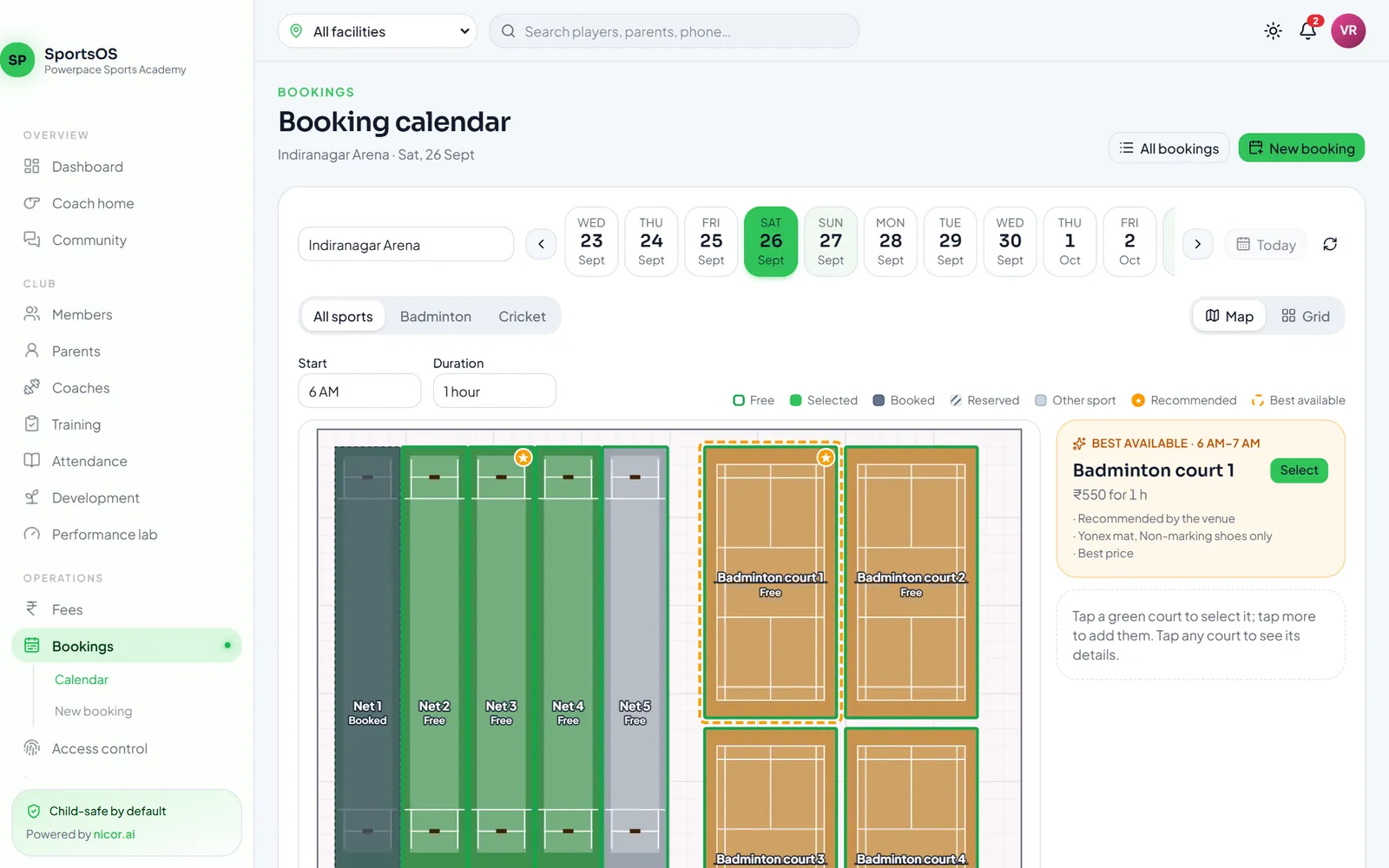
Staff booking calendar with the Indiranagar floor plan of cricket nets and badminton courts
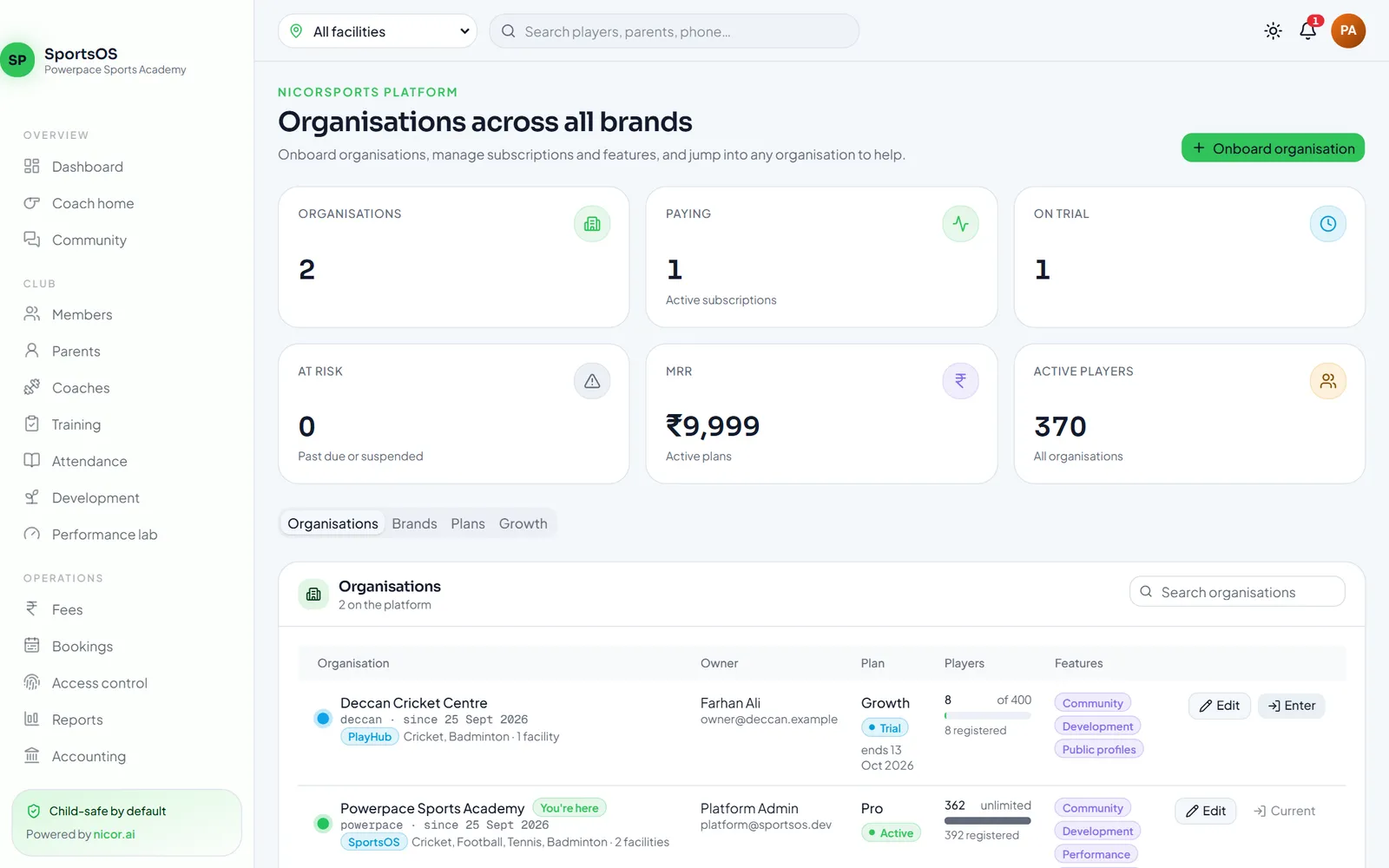
Platform console listing organisations across white-label brands with plans and player counts
See SportsOS with your own academy in mind
A 30-minute walkthrough of the web app and the member, staff and scorer apps — using your sports, your facilities and your fee structure.